

Poppy AI Payment Pipeline and React Flow Performance
How DevThinks built the payment pipeline Poppy AI used to track 1,000+ subscriptions, sped up its React Flow canvas, and shipped uploads and a starter kit for new products.
- Client
- Poppy AI
- Year
- Service
- Full-stack Development, Payment Systems, Performance
Project context
We joined Poppy AI in August 2024, while the product was still early and the founding team was working out what to build. We worked on it until January 2025.
Poppy AI sold through three payment tools at once: ThriveCart, Stripe, and PayPal. Each one kept its own records. The sales team needed one place to answer simple questions, like who paid, how much, and how much was still owed.
Payment pipeline
We connected all three payment tools to Airtable through Zapier and Firebase. Every sale landed in one table with the customer, the amount paid, and the remaining balance.
The sales team used that table to track more than 1,000 subscriptions without reconciling three dashboards by hand.
React Flow performance
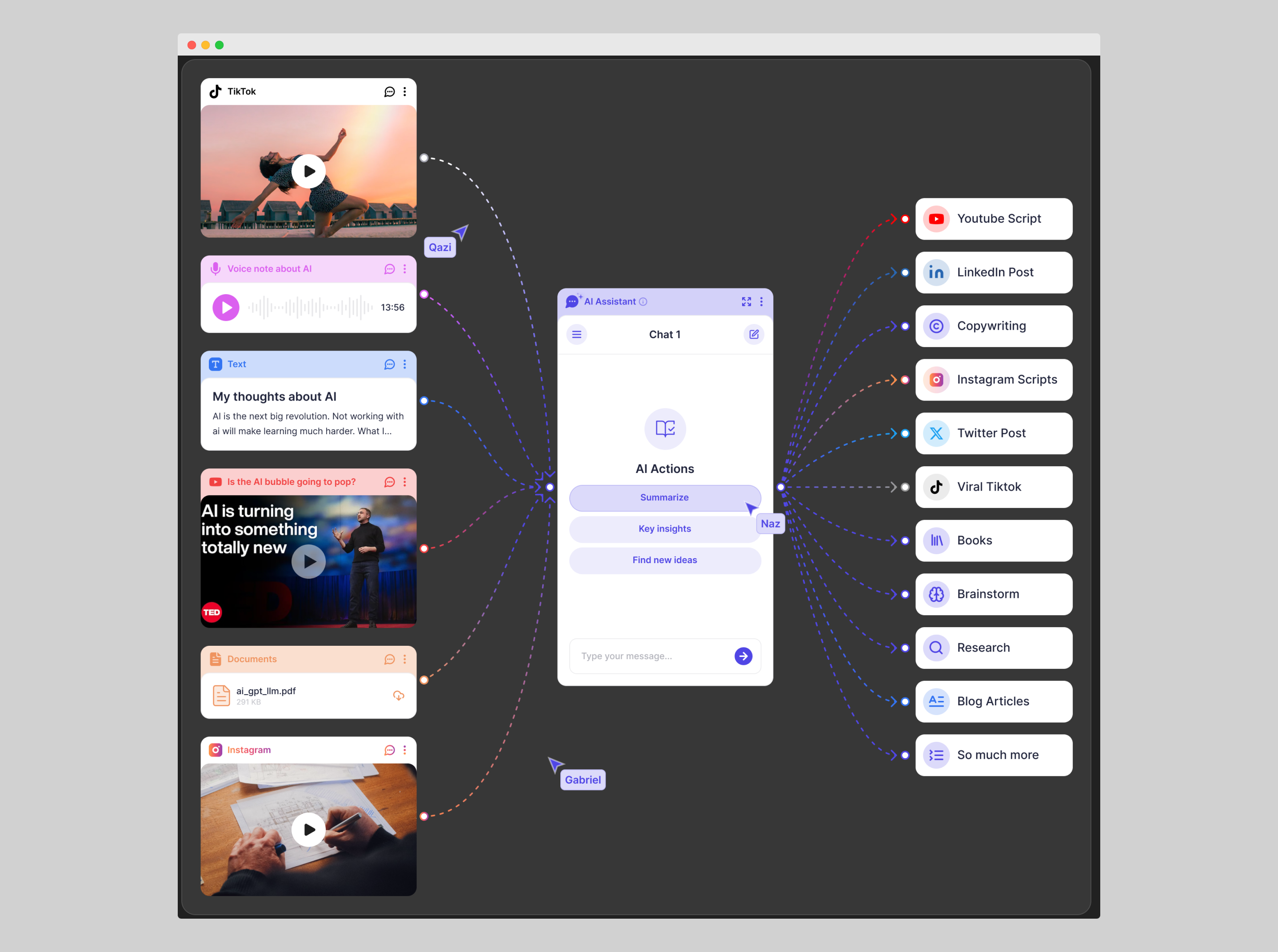
Poppy AI's workspace is a React Flow canvas. As users add more nodes and connections, a canvas like that gets slow fast.
We added virtualization, so the app only renders the nodes on screen, and removed re-renders that fired on every small state change.
Uploads and the starter kit
- Uploads. We integrated UploadCare with Google Drive and Dropbox, so users could bring in files from where they already kept them and use them inside AI chats.
- LaunchMVP starter kit. A base for new products with Stripe payments, Firebase Auth, and AI integration already wired in.
- Docs and videos. Technical documentation and tutorial videos for onboarding and support.
Stack
- React
- Next.js
- React Flow
- Tailwind CSS
- Firebase
- Stripe
- PayPal
- ThriveCart
- Airtable
- Zapier
- UploadCare
Built before AI coding agents
Most of this work shipped before tools like Claude Code and Codex existed. The payment pipeline and the canvas fixes were written by hand, from documentation.